Sales teams do best when they keep things moving. Getting back to someone fast, saying the right thing at the right time, or sharing something helpful about a client can be what wins a deal. But lots of salespeople spend too much time searching through emails, waiting for sign-offs, or doing the same work twice because their tools don’t work well together. So, instead of selling, they waste time on stuff that doesn’t matter.
That is why sales leaders are turning to platforms that bring communication, scheduling, and workflows into one environment. When they compare the best project management tools, they are looking for more than task trackers. They want a way for every rep to stay aligned, every proposal to be accurate, and every deadline to be visible. Lark provides that structure, enabling sales teams to work as one, no matter how fast opportunities move.
Staying on top of client commitments with Lark Calendar
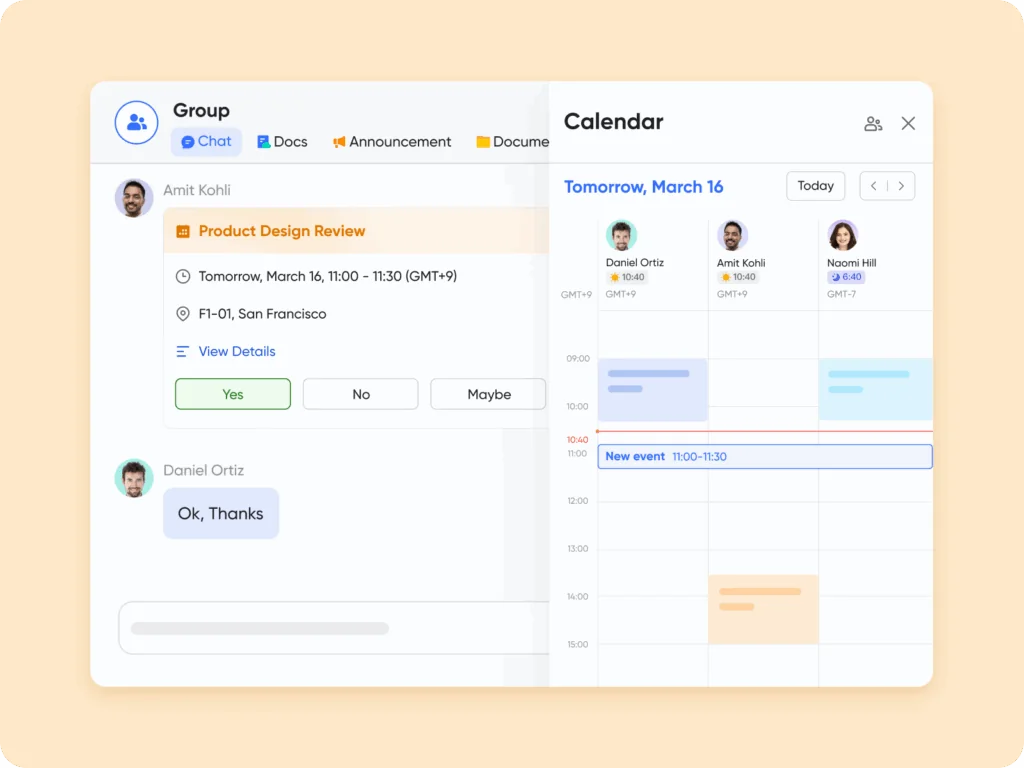
In sales, getting the timing right is super important. If you drop the ball on a follow-up or mix up meeting times, you could lose a deal. Lark Calendar can help teams dodge these problems by making schedules clear and keeping everyone in the loop about what’s happening.
Within in the public calendar, salespeople can see what’s on their plate, like client meetings, product demos, and follow-up calls, all in one place. If you want to host an interview or create a client visit with your colleagues, you can easily create the event with options like attendees, time, date, and location. When you find a sale clue and create a task for it, it pops up automatically in the Calendar, so your reminders line up with what the team needs to get done.
For example, a regional manager could check out all their reps’ schedules to catch any double bookings or chances they might be missing. At the same time, each rep only sees their own events related to deals. This way, everyone can focus on selling instead of putting out fires.
Keeping reps aligned with Lark Messenger
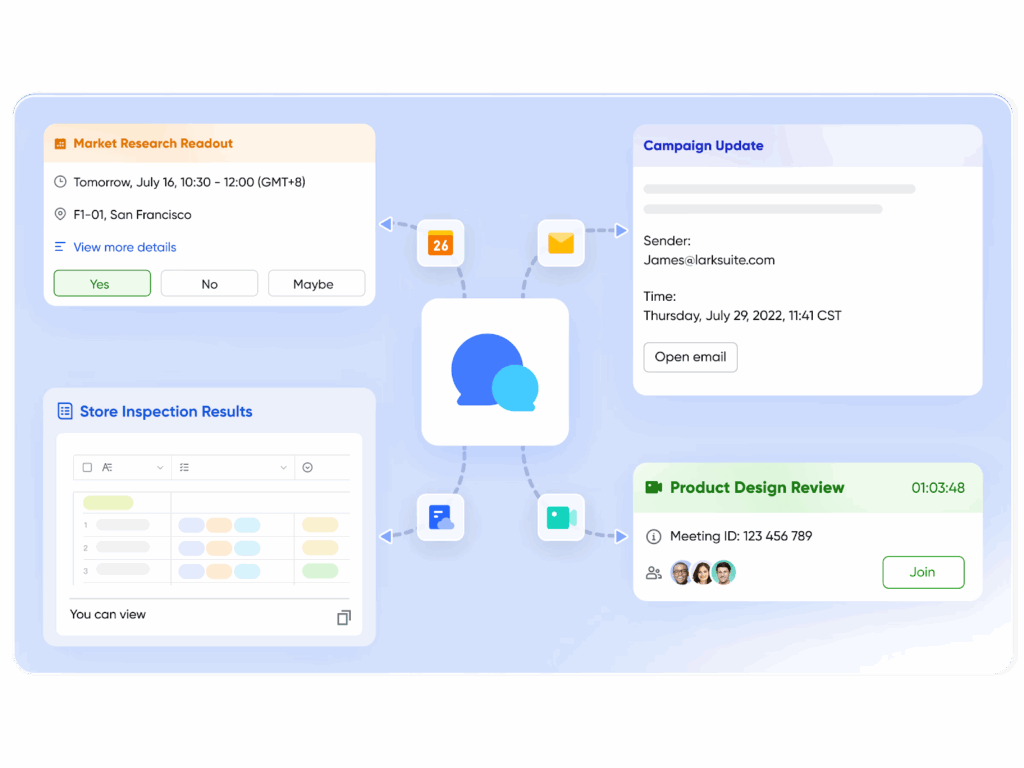
Sales rely on quick talks. If you’re telling your team what a possible client thinks or warning them about the rival’s move, waiting for emails will make you slow. Lark’s chat lets you know what is happening as it happens, which keeps everyone on the same page.
Specific group chats can be made for clients, products, or areas. All the replies in groups are searchable, and threads open the way to notify the people involved and track the replies and progress. Sales info, what the rival is doing, and client files can go right into the chat so you can look at them later.
Say a rep is about to land a big client. They drop a quick note in the chat about the client’s money worries. In minutes, the money person says to change the offer, and the deal lives on. No waiting, no missing the chance.
Collaborating on proposals with Lark Docs
Sales teams all know how messy versions can get. When you’re emailing a proposal back and forth, you end up with tons of different drafts that don’t match. Lark Docs fixes this because teams can work together in one file at the same time.
Salespeople can fix up presentations for clients, managers can tweak how they talk about prices, and marketing can drop in some pictures – all happening live. You can see who changed what with the version history, and sensitive stuff is safe with permissions.
Think about a sales director getting ready for a big pitch. Sales reps add what they know about the client, designers make the slides look good, and legal checks the contract, all in the same file. When it’s time to present, everything is correct, looks good, and has the green light.
Simplifying deal approvals with Lark Approval
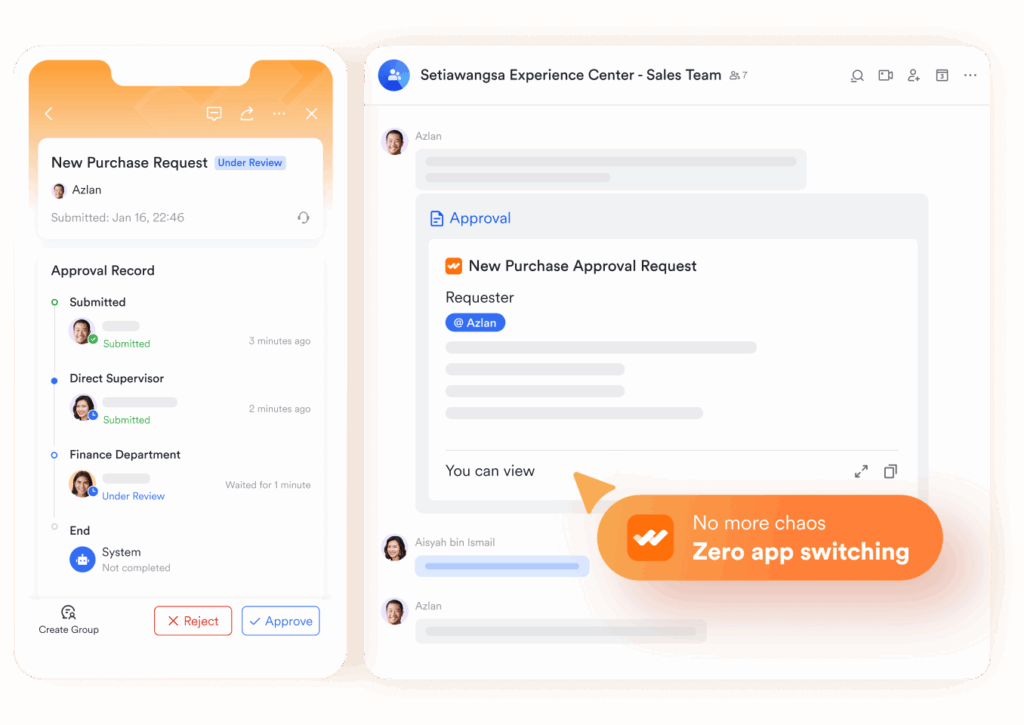
To give discounts, change contracts, or make exceptions, you often need a manager’s go-ahead. If you don’t have a clear way to do this, approvals can get stuck in emails, which slows things down. As business process management software, Lark offers the Approval feature as a place where sales reps can send requests and managers can check them with all the info they need.
You can set up these approvals for things like discounts, payment options, or special client requests. Managers can see what’s waiting for them in one spot, and reps get a heads-up as soon as a decision is made.
A rep seeking approval for a bulk discount, for example, submits it in Approval. The manager signs off quickly, the process is documented, and the rep returns to the client with confidence — all without losing momentum.
Tracking deals and pipelines with Lark Base
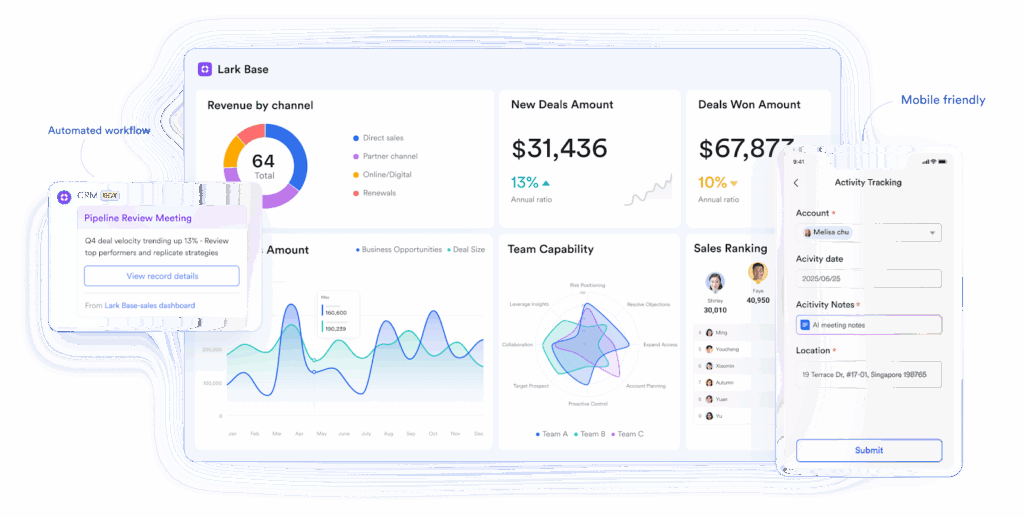
Closing deals takes more than good conversations — it requires visibility into every stage of the pipeline, from lead qualification to contract sign-off. Spreadsheets often break down here, with scattered updates and missed follow-ups. To solve that, Lark Base structures the pipeline so nothing falls through the cracks.
With Base, reps can create deal boards that track opportunities, assign owners, and log progress at each stage. Managers see the big picture across regions or product lines, while reps keep their focus on active deals. Automations speed up sales cycles by flagging stalled opportunities, sending reminders for follow-ups, or updating fields when a deal moves forward. These abilities make Lark a smart data manager platform, an agile CRM app, or a centralized information hub.
For example, a regional sales team can use Base to monitor accounts in negotiation, track supporting documents, and connect approvals directly to opportunities. Instead of chasing updates across email threads, everyone works from the same source of truth — keeping deals moving and ensuring clients always get timely attention.
Creating playbooks with Lark Wiki

If you want your sales team to do well, they need to be consistent. Salespeople who can quickly find playbooks, scripts, and onboarding materials close deals faster. Lark Wiki is a spot where you can keep all this info up-to-date and easy to find.
Managers can post sales scripts, product FAQs, or ways to beat the competition. New salespeople can use these when they start, and experienced salespeople can use them to brush up on their knowledge when talking to clients.
For instance, when a new pricing model comes out, managers can update the Wiki with talking points and how to handle objections. Salespeople everywhere will then use the same message right away, so customers always get the correct details.
Conclusion
Sales do better when teams put their energy into clients, not into things like hunting down lost emails or waiting around for approvals. Lark Calendar, Messenger, Docs, Approval, Meetings, and Wiki can give sales teams a system that keeps everyone on the same page. Consequently, Lark is not just viral software; it’s an all-in-one platform that embraces efficient workflow and seamless collaboration.
When sales teams use Lark, they cut out distractions and stay centered on what’s important: creating value for customers and closing deals faster.