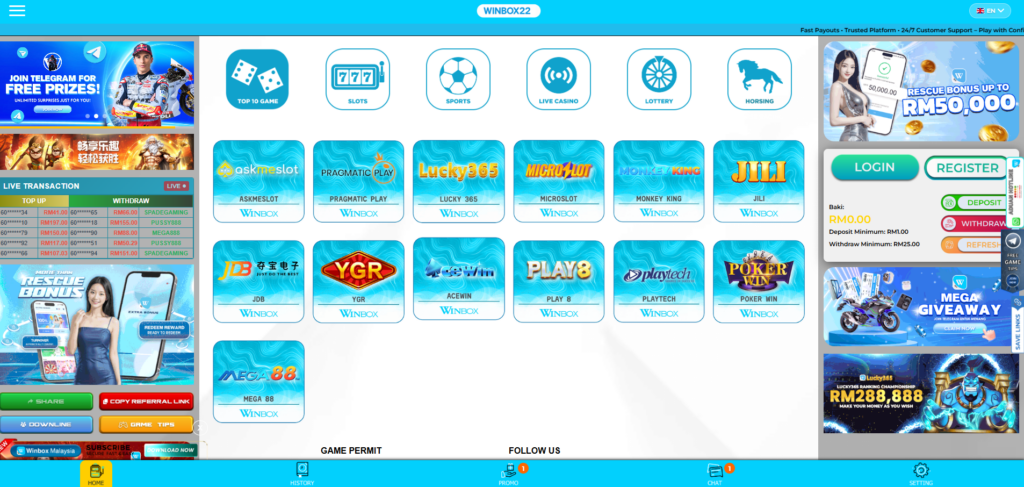
Winbox H5 login security matters because many users access their accounts through a mobile browser instead of a downloaded app. This method is fast and useful, but safe habits are still needed every time a user opens the login page.
A login page is more than a place to enter a username and password. It is the entry point to account details, wallet access, promotions, game history, and personal information. If login details are exposed, an account can become harder to control.
This guide explains how users can protect Winbox official account access while using H5 login. It covers safe browser use, password habits, OTP protection, device safety, fake link risks, and steps to take when something looks suspicious.
What Does Winbox H5 Login Mean?
Winbox H5 login means users can access their account through a web browser on a mobile phone, tablet, or desktop. H5 is commonly used to describe a browser-based version of a platform that works without a full app install.
For many users, this access method is useful because it does not require extra storage space on the device. A user can open a browser, visit the login page, enter account details, and access the account.
H5 access is also useful for users who switch between devices. For example, a person may use a mobile browser during travel and a desktop browser at home.
Why Winbox H5 Login Security Matters
Login security protects more than the account page. It protects account balance, personal details, mobile number access, reward claims, and user activity. A weak password or fake login link can expose all of these details.
Browser-based access needs special care because users often open links from search results, messages, ads, or social groups. Some links may look similar to the real site but may be unsafe. A fake page can collect login details without the user noticing.
Security also matters because many users stay logged in on mobile browsers. If the phone is shared, lost, or left unlocked, another person may open the browser and access the account. Safe login habits reduce that risk.
Always Start From the Correct Login Page
The first step in safer account access is checking the website address before entering login details. Users should make sure the address looks correct, the page loads properly, and the browser shows a secure connection.
A fake login page may copy the design of a real website. It may use similar colors, logos, buttons, and wording. The difference is often in the website address. One extra letter, symbol, or unusual domain can be a warning sign.
Users should avoid opening login links from unknown messages, social media comments, random ads, or group chats. A safer method is to type the known website address directly or use a saved link that has already been checked.
For account access, users should rely on the Winbox official page instead of random third-party links that claim to offer faster login, extra bonuses, or account fixes. Fake pages often use these claims to make users enter their details quickly.
Use a Strong and Unique Password
A strong password is one of the easiest ways to protect account access. Many account problems start because users reuse the same password across many websites. If one site has a data leak, the same password can be tested on other platforms.
A safer password should be long, unique, and hard to guess. It should not include a birthday, phone number, nickname, username, or common word. Names of favorite teams, games, pets, or family members are also easy to guess, especially if they appear on social media.
A good password may include a mix of uppercase letters, lowercase letters, numbers, and symbols. Longer passwords are often safer than short, complex ones. The main goal is to create a password that is not easy for another person or an automated tool to guess.
Users should also avoid writing passwords in plain notes, chat messages, or screenshots. If they need help managing passwords, a trusted password manager can be safer than saving passwords in random files or messages.
Password updates should happen after any suspicious activity. If a user notices strange login behavior, missing balance, unexpected messages, or unknown device activity, changing the password should be one of the first steps.
Keep OTP and Verification Codes Private
OTP codes are used to confirm that the account owner has access to the registered phone number or verification method. These codes are meant to be private. No user should share an OTP with another person, even if the person claims to be support staff.
A common scam starts with someone asking for a verification code. The scammer may say the code is needed to fix an account, claim a reward, verify a bonus, or solve a login problem. Once the code is shared, account access may be at risk.
Support teams should not need a user’s password or OTP to help with a basic issue. If anyone asks for these details through chat, phone, private message, or social media, users should treat it as suspicious.
Unexpected OTP messages should also be taken seriously. If a user receives a code without trying to log in, it may mean someone else is attempting to access. In that case, the user should avoid sharing the code, change the password, and contact support through a trusted channel.
OTP security works only when the code stays private. Once shared, it can no longer protect the account.
Be Careful When Using Shared Devices
Shared devices create extra login risk. A public computer, borrowed phone, office device, or family tablet may save browser history, passwords, cookies, and login sessions. Another person may return to the browser later and find the account still open.
Users who need to complete an h5 Winbox login on a shared device should avoid saving passwords in the browser. If the browser asks to remember the password, the safer answer is no. Saving login details on a device that others use can expose the account.
Private browsing mode can help reduce saved history and cookies, but it is not a full security solution. Users should still log out manually after each session. Closing the browser tab is not always enough because some sessions may remain active.
After using a shared device, users should clear browsing data if possible. This may include cache, cookies, saved form data, and browsing history. They should also check that the account is no longer open before leaving the device.
Protect Mobile Browser Access
Many users access Winbox through a mobile browser because it is quick and does not require app installation. This makes mobile browser security a key part of account protection.
The browser should be kept updated. Updates often fix security problems and improve protection against unsafe websites. An old browser may not block risky pages or warn users about suspicious connections.
Users should also avoid clicking pop-ups that appear during login. A pop-up that asks for extra details, password confirmation, or account payment outside the normal login process may be unsafe. Any page that looks unusual should be closed.
A stable connection is also useful. Public Wi-Fi in cafés, malls, airports, or hotels can be risky, especially when the network has no password. Mobile data or a trusted home connection is safer for account access.
Phone security matters too. Users should enable a screen lock, avoid sharing the device, and remove unknown apps. Some harmful apps can read messages, capture screens, or collect data. A secure phone makes browser login safer.
Do Not Save Login Details Carelessly
Browser password saving can be convenient, but it is not always the safest choice. If a device is lost, shared, or unlocked, saved passwords may let another person access the account.
Users should avoid saving account details on devices used by friends, family members, coworkers, or public users. Even on a personal phone, saved passwords should be protected by a device lock, biometric access, or a trusted password manager.
Auto-fill can also create risk. A fake page may trick the browser into filling saved login details. This is one reason users should check the website address before allowing any saved password to appear.
For users who prefer saving passwords, the safest option is to use a secure password manager with a strong master password. It is better than storing passwords in screenshots, notes, spreadsheets, or chat conversations.
Watch for Suspicious Login Activity
Users should pay attention to anything unusual after logging in. Suspicious signs may include account details changing, balance issues, unknown activity, failed login messages, or OTP requests that were not initiated by the user.
Another warning sign is being logged out repeatedly without a clear reason. This may happen due to browser cache, session timeout, or connection problems. Still, repeated login issues should not be ignored if they happen with other suspicious signs.
Users should also check messages from the platform carefully. A real account alert should not ask for passwords or OTPs through an outside channel. Any message that pressures users to act quickly should be treated with caution.
If unusual activity appears, users should stop using the account for a moment and review the situation. They should change the password, check the registered phone number, and contact support through a trusted page.
What to Do If Login Access Feels Unsafe
If a user thinks account access may be unsafe, the first step is to stop entering details on the current page. The page should be closed if the address looks wrong, the design looks strange, or the login process asks for unusual information.
Next, the user should open the correct page through a verified source. After logging in safely, the password should be changed. The new password should not match any old password used on another site.
If an OTP was shared by mistake, the user should contact support right away. The account may need extra checks, password reset support, or temporary access protection.
Users should also check the registered phone number and email details if those options are available. If account recovery details have changed without permission, support should be contacted at once.
Creating a duplicate account is not always the right solution. It can cause confusion and may break platform rules. A safer step is to recover and secure the existing account through proper support channels.
Safe Login Habits for Regular Users
Safe login is not a one-time task. It should be part of regular account use. Users who log in often should build repeatable habits that reduce risk every day.
Before logging in, they should check the page address. During login, they should avoid sharing codes or saving passwords on unsafe devices. After logging in, they should log out if the device is shared or not fully private.
Users should also keep their phone number active and protected. Since OTP codes are often sent by SMS or linked channels, losing control of a phone number can create account risk. If a number is lost, stolen, or inactive, support should be contacted through the correct channel.
Simple Winbox H5 Login Security Checklist
Users can follow this checklist before and after account access:
Conclusion
Winbox H5 login security starts with careful account access. Users should check the login page, use a strong password, keep OTP codes private, avoid shared devices, and log out after browser sessions.
Safe habits are especially useful for mobile browser users because links, tabs, saved passwords, and public Wi-Fi can create extra risk. A user who slows down before entering login details can avoid many common account problems.
The safest approach is to treat login details as private information. With the right habits, users can protect account access and use H5 login with more confidence.