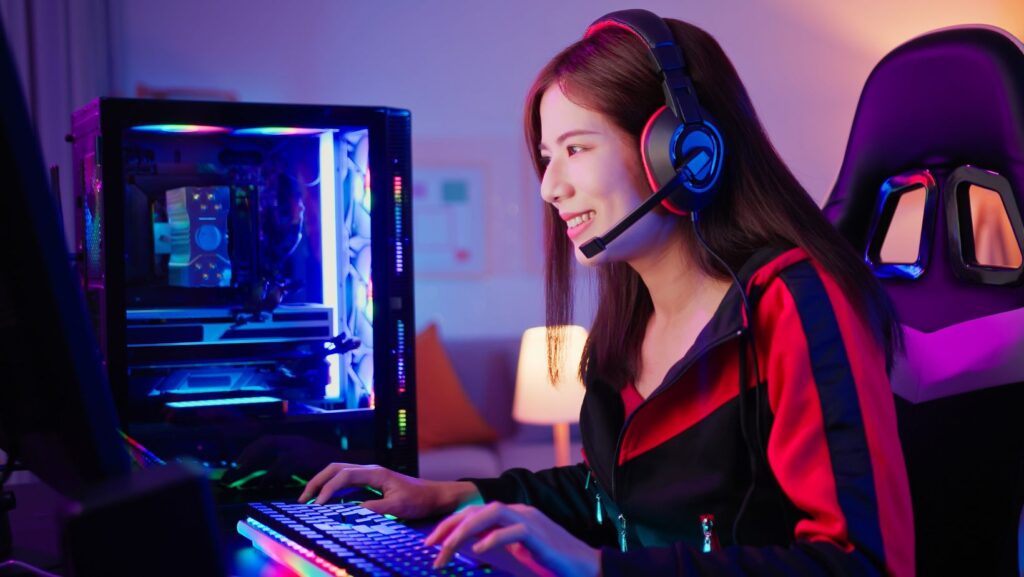
A gaming or entertainment setup feels more immersive when the lighting works with the screen, desk, shelves, and room layout. Neon rope lights are useful because they provide a continuous line of color that can run behind monitors, under shelves, around media units, or along wall edges without taking up valuable desk space.
For gamers, streamers, and tech enthusiasts, the goal is not to cover every surface with light. A cleaner setup uses accent lighting to define key areas, reduce harsh contrast around screens, and add personality without making the room distracting. NeonChamp offers LED neon rope lighting that can be planned around gaming desks, entertainment units, and creative workspaces.
What Are Neon Rope Lights?
Neon rope lights use closely spaced LEDs inside a flexible outer casing. The casing diffuses the individual light points, creating a smoother and more continuous glow than exposed LED strips.
They are different from custom LED neon signs, which form fixed words, names, logos, or symbols on a backboard. Rope lights are better suited to outlining surfaces, tracing edges, and creating indirect lighting around a setup.
Popular uses in gaming and tech spaces include:
- Behind monitors and gaming desks
- Under floating shelves
- Around entertainment units
- Along wall or ceiling edges
- Behind televisions
- Around display cabinets and collectibles
- Under media consoles
- Around streaming or content-creation backgrounds
Brightness control is especially useful in screen-focused rooms because it lets you reduce the glow during late-night gaming, movies, or work sessions.
Neon Rope Light Ideas for Gaming and Tech Setups
Flexible lighting can make a setup feel more organized by defining specific zones instead of filling the room with unrelated light sources.
Add Backlighting Behind a Gaming Monitor
Place rope lighting behind a monitor or along the rear edge of a desk to create a soft glow on the wall. This can reduce the visual contrast between a bright screen and a dark room, making the setup feel more comfortable during long evening sessions.
Keep the light source hidden from direct view whenever possible. The reflected glow usually looks cleaner than exposed tubing and helps the monitor remain the main focal point.
Highlight Shelves and Collectible Displays
Install rope lights beneath shelves or around display units containing consoles, figures, game cases, controllers, or tech collectibles. Use one consistent color or a small related palette so the display looks intentional rather than cluttered.
Avoid tight bends around sharp corners and follow the minimum bending guidance supplied with the product.
Light the Area Behind a Television or Media Unit
Rope lighting behind a television or media console can add depth to an entertainment wall and create a softer viewing environment. Keep the cable away from ventilation openings, consoles, amplifiers, and other heat-producing equipment.
A custom neon name sign or gaming-themed sign can be placed on a nearby wall as the main decorative feature, with rope lighting used as supporting illumination.
Define the Gaming Desk Without Taking Up Space
Run lighting along the underside or rear edge of the desk to give the setup a floating effect. This works especially well in compact rooms where extra lamps or decorative objects would take up valuable desk space.
Ideas for Streaming and Content-Creation Spaces
Lighting becomes part of the visual setup when a room is used for streaming, video calls, gaming clips, or social media content.
Create a Cleaner Camera Background
Use rope lighting around shelves, wall panels, or the edge of a display area behind the chair. Keep the brightest light out of the direct camera line so it supports the background without affecting exposure on your face or screen.
If you also use a custom LED sign, position it as the main branded or personal element and let the rope lighting provide a secondary glow.
Frame a Display Wall
A continuous line of light can help separate a collection wall from the rest of the room. It can work around mounted shelves, framed gaming art, console displays, or a compact setup for figures and collectibles.
Use moderate brightness so the light does not wash out the colors of the items on display.
Add Light Around a Console or Entertainment Zone
Rope lights can define the lower edge of a media console, shelf, or entertainment unit. Keep all lighting and power cables clear of vents and avoid blocking access to consoles, routers, or other equipment that may need airflow.
Create a Gaming-Themed Feature Area
Use a simple illuminated border around one section of the room, then place a gaming logo, room name, or custom neon lettering inside it. This creates a clear focal point for photos, streams, or the main gaming wall.
A limited number of coordinated colors usually looks cleaner on camera and in person than several competing bright effects.
How to Plan the Lighting Route
Measure the full route before ordering. Include desk width, shelf lengths, corners, gaps, the distance to the outlet, and any areas that should remain unlit.
Plan where the power cable, controller, and adapter will sit. They should remain accessible without crossing walkways or interfering with desk movement, chair space, or equipment ventilation.
Before installation:
- Clean and dry the surface.
- Test the entire light before mounting it.
- Mark the proposed route with removable tape.
- Confirm the approved cutting points.
- Check every corner for safe bending space.
- Identify where the controller and adapter will remain accessible.
- Review the supplied installation instructions.
Do not cut the light at an unmarked point. Cutting through the wrong section can damage the circuit and leave part of the lighting unusable.
How to Combine Rope Lights with Custom Neon Signs
A gaming room can use more than one type of LED lighting when each element has a separate purpose.
Neon signs can communicate a gamer tag, room name, logo, phrase, or personal design. Rope lighting can then outline the desk, shelves, television, or display wall without competing with the main sign.
For example:
- Place a neon custom sign above the desk and use rope lights behind the monitor.
- Use a gaming logo sign on the feature wall and add lighting beneath the media console.
- Add custom neon letters above a shelf and run rope lighting behind collectibles.
- Use a personalized sign in a streaming background and frame nearby shelves with softer accent light.
Keep one element dominant. Too many bright colors, animated effects, or equally strong light sources can make the setup look busy and reduce screen comfort.
Setup and Safety Considerations
Confirm that the selected rope light and its electrical components are suitable for the intended location. Indoor gaming rooms should use components designed for indoor use, and any installation near moisture or outdoor areas needs products rated for those conditions.
Keep lighting away from standing water, sharp surfaces, high-heat equipment, ventilation openings, and places where cables can be pulled or pinched.
Follow the supplied cutting, bending, and installation directions. If a setup requires hardwired electrical work or you are unsure about a power arrangement, use a qualified electrician.
Common Gaming Setup Mistakes to Avoid
Avoid:
- Ordering before measuring the desk, shelves, and cable route
- Making sharp bends around furniture corners
- Cutting at an unapproved point
- Blocking console, PC, or monitor ventilation
- Leaving cables across chair paths or walkways
- Using components in locations they are not rated for
- Installing on dusty, damp, or unstable surfaces
- Mixing too many bright colors at the same time
- Hiding the controller or adapter where it cannot be reached
Create a Balanced Gaming Lighting Setup
Neon rope lighting works best when it supports the setup instead of becoming the setup. Use it to define a desk, soften the area behind a screen, highlight shelves, or frame a media wall rather than covering every available edge.
Neonchamp can provide rope lighting alongside neon light signs and custom LED signs for gaming rooms, entertainment spaces, and creative setups. A measured route, controlled brightness, and simple color plan can create a cleaner look that works for gaming, streaming, movies, and everyday use.