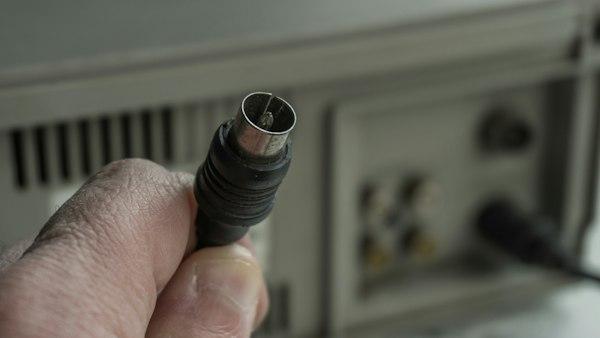
Photo: Zulfugar Karimov / Unsplash
Why won't a new antenna work on a router that has the same gold connector? Anyone who has bought a replacement antenna for a Wi-Fi router, an SDR dongle or an FPV drone has probably met that moment: the thread fits, it screws down tight, and the signal doesn't improve at all. RF connectors look alike and aren't interchangeable, and the details that matter are rarely printed on the box.
Check the impedance first
Most RF gear uses one of two impedances. Radios, Wi-Fi, cellular modules and test equipment run at 50 ohms, while TV, satellite and a lot of video equipment run at 75 ohms. At low power, joining the two mostly just costs some signal, since part of it bounces back at the junction.
The RF connector page from LEMO makes a handy checklist at this stage. It lists 50 and 75 ohm versions of the same coaxial range and asks for the maximum operating frequency before anything else, which is the order a hobby build should follow too.
There's a physical reason for the split. A Kettering University course text on LibreTexts explains that air-filled coax handles the most power at around 30 ohms and loses the least signal somewhere between 60 and 77 ohms. Fifty ohms is the compromise. Seventy-five ohms falls inside the low-loss range and close to the impedance of a half-wave dipole antenna, which helps explain its place in TV and FM systems.
Match the connector to the frequency
Every connector has an upper frequency limit, set by its size and construction. BNC, the bayonet connector on older test gear and CCTV cameras, is built for lower frequencies than SMA. SMA, the small threaded connector on most Wi-Fi and SDR hardware, works well into the microwave range. N-type is much larger and is the usual choice for outdoor antennas and long cable runs. For 2.4 and 5 GHz Wi-Fi, SMA and its reverse polarity cousin cover nearly everything.
Watch for reverse polarity
RP-SMA is the trap from the opening. It uses the same thread as SMA but swaps the centre contact, so the plug has a socket where a pin would be, and the jack has a pin. Many consumer routers and access points use RP-SMA, while SDR receivers and most RF modules use standard SMA. The two screw together without complaint and make no contact in the middle.
Look into the end of the plug before ordering and check whether the centre is a pin or a hole. Listings often say SMA for both.
Size the connector to the board and the mount
Inside laptops, Wi-Fi cards and compact flight controllers there's no room for a threaded connector, so U.FL and similar micro-coax snap-on parts take its place. They're designed to be connected during assembly and rarely afterwards. A board that gets its antenna swapped every week will wear out the socket, and a short pigtail from the U.FL socket to a panel-mounted SMA moves that wear to a part that's built for it.
On anything that vibrates, like a drone frame or a radio mounted in a car, a threaded or locking connector holds the contact steady where a snap-on type can work loose over time.
Don't forget the cable
The thin coax on internal pigtails loses much more signal per metre than the thicker cable used for external antennas. Keep internal runs short, and use thicker coax with connectors sized for it on anything longer.
Treat adapters as a last resort
An adapter fixes a mismatch in seconds and adds two extra junctions to the signal path. For a receive-only SDR setup, one adapter is harmless. On a transmitter or a long antenna run, buying a cable with the right connector at each end is the cleaner fix.
For most home and hobby builds the choice is short. SMA or RP-SMA at 50 ohms covers Wi-Fi, SDR and drones, F-type or 75 ohm BNC covers TV and video, U.FL belongs inside the case, and N-type takes over when the antenna lives outdoors. Get impedance and polarity right and most of the usual RF hardware problems go away.