
Every smartphone user who has owned their device for longer than seven days has most likely accepted permission requests without checking their contents because they needed the feature at that instant. The “quick tap” appears to be a harmless action but it represents a typical error which I frequently observe among intelligent men between ages 25 and 35 who handle permissions as obstacles instead of making deliberate choices. Every request from the app requires users to view it as a contractual agreement because the application requests permissions which users must evaluate for proper exchange value.
The presentation of permissions between iOS and Android platforms shows minimal differences during 2026 but their overall atmosphere remains distinct. The default security settings of iOS maintain strict control while Android provides users with various adjustable options which become useful when users understand their functions but dangerous when users remain unaware. The rule remains constant because permissions need to accompany new features instead of existing features first. An application which requests additional permissions than its fundamental purpose demands should be considered a warning to reduce its speed.
The system provides protection through its basic requirement which states that applications need only essential permissions to function properly. A navigation application requires your current location during your navigation process. The video chat application requires camera and microphone access during active calls. The act of providing Always access when While using requires you to pay for privacy and security expenses which you never authorized—and this guide demonstrates the methods to prevent this from happening while maintaining your essential apps.
The three security settings “Allow once”, “While using” and “Always” contain specific meanings which users need to understand.
People tend to select these three options based on their emotions rather than thinking about the essential requirements. The “Allow once” option provides the best experience when you want to test a new application or access a single feature. The setting functions as a standard option which users can select for performing location checks and camera scans and microphone operations that require only brief usage. The best choice for daily use of sensitive permissions should be While using. The system maintains access restrictions to the current time when users actively use the application which minimizes background data collection and prevents unauthorized data exposure. The “high-trust” option Always should remain exceptional because it represents an unusual situation. You should deny access to the app when it requests permission during idle time because you cannot explain its necessity for that situation.
New users tend to make a typical error when they give their app permission to access location at all times after the application requests this access during its initial setup process. A more experienced move: start with While using, then see what breaks. The system will prevent tracking and battery consumption when no system components fail. You can feel secure about upgrading your device when a safety feature like emergency location sharing fails because you know the reason for the failure.
The High-Risk Permissions Most People Misunderstand
Most guys focus on the basic permissions which include camera access and microphone permission and location tracking but the permissions which result in actual harm tend to be those which seem complex or occur in the background. High-risk doesn’t always mean “spy.” The term usually refers to “influence” or “control” because it enables users to monitor their activities and force them to perform specific tasks while also linking their identity between different applications.
Permissions exist in two separate categories.
- The application requires permission to access the following data types which include contacts and photos and notifications and location history.
- The application requires permission control to determine its operational capabilities which include accessibility services and overlay functionality and device administration and unknown application installation permissions.
New users concentrate on data because they view it as their own information. Experienced users concentrate on control because it enables attackers to cause financial damage and gain access to accounts even when they do not extract any recognizable valuable information. Users become subject to screen control when developers gain access to their screens during fast-paced australian online casinos games and active mobile applications.
Accessibility Access (The Sleeper Risk)
The main purpose of accessibility services is to enable users to operate their devices through various assistive features which include screen readers and text-to-speech functionality and navigation tools and input support. The system allows apps to access Accessibility features which enable them to monitor screen activities and execute automated screen interactions including button presses and screen navigation and UI element reading. The permission stands as one of the most frequently exploited permissions which scammers use to conduct mobile attacks.
A realistic mini-case: someone installs a “bonus helper,” “auto tapper,” or “battery optimizer.” The system requests accessibility permissions through a statement which describes the purpose as performance enhancement. The users discover unexpected subscription fees and unusual login requests and their bank application displays an incorrect logout time. The user believes that this situation brings them bad luck. The application operated in the background to monitor screen activity while it recorded important user data and executed its programmed actions during critical moments. The application operated in the background to monitor screen activity while it recorded important user data and executed its programmed actions during critical moments.
The expert rule requires developers to provide accessibility features only for applications which serve accessibility functions and only when they recognize the developer and understand the necessity of the feature. A non-accessibility application which requests this information should be considered as a complete block. Perform an accessibility tool audit when you need it by checking review patterns and publisher verification and running a test with basic permissions.
Microphone/Camera/Contacts — when it’s justified
These permissions operate as standard features until they stop functioning properly. The main factor to consider is both the specific situation and the extent of the situation.
The microphone serves a valid purpose for all situations that involve calling or sending voice messages or performing voice searches or using dictation functions. The red flag appears when applications request microphone permission through “better experience” claims while audio functions remain unimportant.
The camera serves as an appropriate tool for performing three main functions which include scanning documents and making video calls and taking photos and authentication processes. The first warning sign appears when an application requests camera permission before users can access its core features.
People tend to regret giving permission for Contacts access because it reveals their entire contact list. The justification exists for messaging applications and tools which depend on contact synchronization as their main operation. Red flag: games, utilities, or “social” apps that want contacts to “help you find friends” before you’ve even used the product.
A beginner gives full access because it’s faster. A user with more experience will choose from three options which include “selected photos” and “only while using” and manual entry instead of using contact sync. Users can share one contact or invite others through links when an application requires contact information but they must avoid giving access to their complete address book.
Payments, Identity, and 2FA
The situation becomes more critical when an application initiates payment processing or identity authentication or account restoration functions. The goal here is to grasp how your phone functions as your financial boundary. The combination of notification permissions with SMS access and biometric authentication and device security features creates an entry point for account takeover attacks which become more dangerous when users make hasty choices.
The main distinction between new users and skilled users emerges from their approach to tasks. New users will respond to prompts by selecting the simplest available option. Users who have experience with money management decide in advance which applications will perform specific financial tasks including payment processing and authentication and email management while maintaining distinct pathways for each function.
Wallet applications together with in-application buying options and verification procedures.
A clean setup looks like this:
The system uses payments which pass through trusted applications which include bank applications and well-known digital wallets.
The system requires users to link their purchases to a protected account which uses either Apple ID or Google account with two-factor authentication (2FA) for security.
The verification process used tools which you maintained under your control through authenticator applications and passkey authentication when these features became available.
New users tend to create disorganized payment systems because they store their account information in various applications while maintaining multiple subscription services and granting excessive permissions to their apps. The disorganized situation leads to confusion which scammers use as their primary method to deceive people.
A practical example: Users who play at australian online casinos need to perform mobile-based interactions with their deposits and withdrawals and ID verification and promotional campaign notifications. The smart method requires users to separate their activities into three distinct areas which include using a specific email address and implementing robust authentication systems and configuring notification controls. New users should follow a basic method which involves using the same email/password combination for all accounts while granting all permission requests but they will eventually experience account takeovers and uncontrolled spending on online casino australia mobile applications which prioritize fast user experience.
Biometrics, SMS codes, and account recovery
Let’s translate the jargon:
The security measure two-factor authentication (2FA) requires users to verify their identity through two authentication methods which include their password and an additional verification step such as a code or device prompt or key.
The local device access protection of Biometrics (Face ID / fingerprint) enables users to benefit from strong passwords because they only need to enter their passwords occasionally.
The system uses SMS codes as a convenient authentication method but these codes remain weak because attackers can steal phone numbers through SIM swap attacks and social engineering tactics.
Authenticator apps and passkeys provide better security because they function independently from your phone number.
Most account theft occurs through recovery methods instead of attempting to access accounts through login credentials. People who are new to the situation make sure to lock their front door but they keep their back door unlocked. An attacker who gains control of your email account will then be able to access your bank and app accounts through a chain reaction of security breaches.
Actionable advice:
• You should enable authenticator app or passkeys protection for your primary email account.
• Review recovery options: phone number, backup email, recovery codes—make sure they’re current and secure.
Users should prevent unknown applications from managing their system notifications and accessibility features because these functions serve as primary attack vectors in “approve this request now” scams.
The section which provides the fastest return on investment exists for all users who access money-moving services through marketplaces and trading platforms and subscription services and best online casinos and their equivalent platforms.
⸻
UX Tricks That Pressure You Into “Allow”
Permissions aren’t requested in a vacuum. Users request these features during their most vulnerable moments which occur when they need the feature or feel impatient or when the application blocks access to certain content. The system operates through UX methods which sometimes deliver authentic user experiences but also use deceptive techniques to achieve their goals.
A person who is new to this field thinks the assignment contains no bias. An experienced user understands that the platform uses persuasive design techniques. The main objective is to understand when apps use manipulation techniques so you can pause your activities to make decisions.
Consent fatigue, dark patterns, and “permission walls”
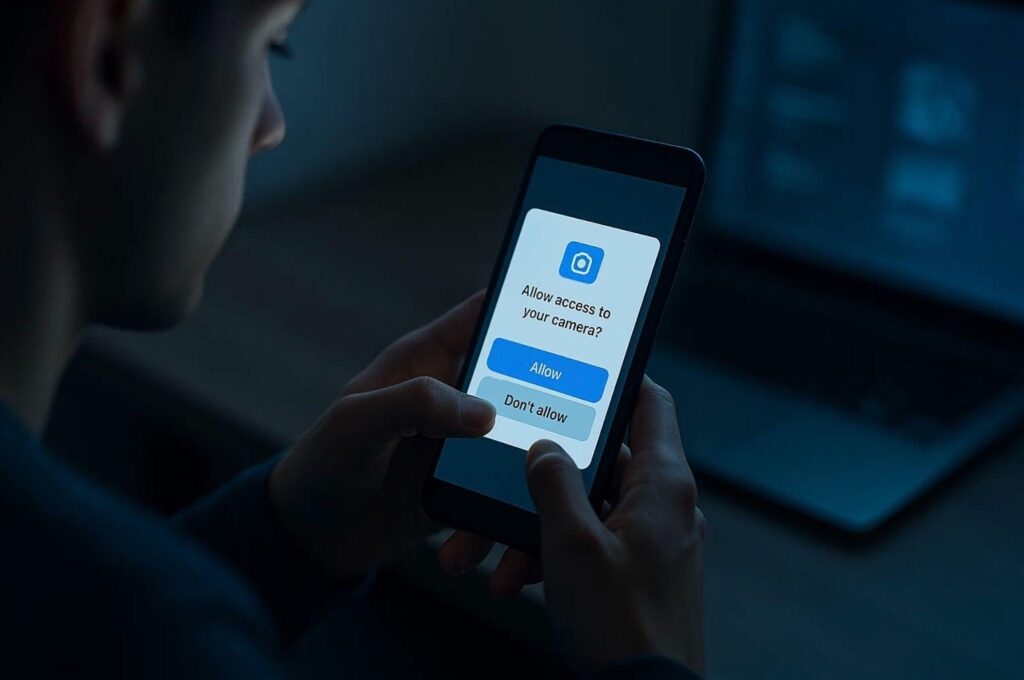
The process of being asked multiple times for consent leads to a state where you lose your ability to think about the requests. The practice of allowing apps to access our data has become a standard behavior because of this actual situation.
The interface contains dark patterns which function as deceptive tricks which force users to follow the business goals they want to achieve. Common ones:
The “Allow” button stands out as a bold central element while the “Not now” option remains either small or completely invisible.
• The application requires users to grant various permissions during their first app experience before they can experience any beneficial features.
The statement contains ambiguous terminology which states “to improve your experience” instead of providing a specific advantage.
An application blocks essential features through permission walls which require users to authorize access to unrelated permissions. The application requires camera access to function properly. The application requests contact access through its note function and the game needs tracking permission to deliver personalized content.
Practical move: when you hit a permission wall, deny the permission and see if there’s an alternative path—manual input, limited sharing, or using the web version. Users who have experience with technology will not accept poor user interface design. They route around it.
Push notifications vs attention control
Push notifications function as standard alerts which do not automatically qualify as useful reminders. They function as pathways which organizations use to modify human conduct. The first week following app installation creates a high-risk period because you need to teach the system through your selection process.
A user who installs shopping applications and games through their phone enables notification services which transforms their device into a slot machine that produces non-stop alerts with push notifications that use high-pressure language to create a sense of urgency for time-sensitive deals. Their ability to focus becomes disrupted while they make hasty choices.
The pro method requires use for all situations which demand financial outlays or exposure to danger.
• The system should maintain active security alerts which track user login activities and password modifications and account withdrawal requests.
• Turn marketing/promotional notifications off.
• You should create your own schedule to use the application.
The concept also applies to online entertainment platforms. The “one more session” behavior in casino-style apps can be triggered through push notifications which australian online casinos use as part of their user experience through promotional offers. The most effective defense against distractions requires design elements which should include notification restrictions and trigger minimization and decision control for your own benefit.
⸻
A 5-Minute Permission Audit Checklist (Monthly Routine)
Permissions drift over time. Apps update. Features change. Your habits change. A monthly permission audit should be performed because it provides quick yet uninteresting results which lead to outstanding effectiveness.
New users perform their first audit when some issue occurs that needs explanation such as their battery drain. Experienced users perform audits through maintenance activities which they conduct in the same way they verify their subscriptions and update their passwords. The main objective focuses on minimizing both risks and operational challenges.
Overview → revoke → re-grant only when needed
The following workflow proves to be effective for our operations.
- Check your permission manager to see which permissions you have granted by category which includes location access and microphone and camera permissions and contact access and photo access and notification permissions.
- Look for mismatches: “Why does this app need that?”
- Revoke first if you’re unsure.
- Use the app normally. The application will request permission again during its normal operation so you can make an informed decision about granting access.
New players tend to make the error of worrying their instruments will get damaged. Most applications function properly even when they experience some deterioration because users will only lose specific useful features instead of the complete application. The application requires a permission which does not match its intended function so you should replace it because online casino sites require secure account protection.
Identifying abnormal battery consumption patterns following permission authorization.
The first noticeable effects of excessive permission usage become apparent through battery drain and data usage spikes.
Watch for:
Your battery usage list shows an application that reaches the top position although you only access it occasionally.
• High background data usage.
• Your phone heating up during idle time.
These indicators do not necessarily indicate the presence of malware. The system requires users to verify their background permissions which include location access at all times and background refresh and notification permission. The experienced move is to tighten, test, and if needed uninstall. Your phone exists to provide you with services instead of controlling your activities.
Download Safely: Avoid Clones, Bundlers, and Fake App Pages
The first occurrence of permission issues takes place before users experience any permission alerts which happens during the installation process. People download clones and lookalike apps because they rush through the installation process. Users perform a search until they find an icon they recognize which leads them to select the first search result. The process of permission granting to developers results in wrong developer access.
Beginner behavior: “It’s in the store, so it must be safe.”
Experienced behavior: “The product exists in stores which makes it safer but I will still check its availability.”
Store signals, developer reputations, and “too-good-to-be-true” installs
Use a quick legitimacy checklist:
• The developer name should exactly match the official brand name.
• The publisher maintains a history of releasing trustworthy applications through their app catalog.
The project shows positive development through its scheduled update process.
• Permissions: do requested permissions match the app’s purpose?
• Reviews: look for detail, not just star ratings. A wave of generic five-star reviews functions as an indicator of potential issues.
Users need to exercise extra caution when using modified versions of software known as “modded” or “premium unlocked” or when they download third-party builds. These applications provide users with convenient features but they grant access permissions which users would not have given voluntarily.
The security standards for money-related and identity-related applications need to reach levels that exceed current requirements. Users must obtain their payment and verification and high-transaction apps from trusted sources because these applications include banking and marketplace and online casino sites and australian online casino services. You should use official channels to contact the publisher while verifying their identity and maintain your device in a clean state.