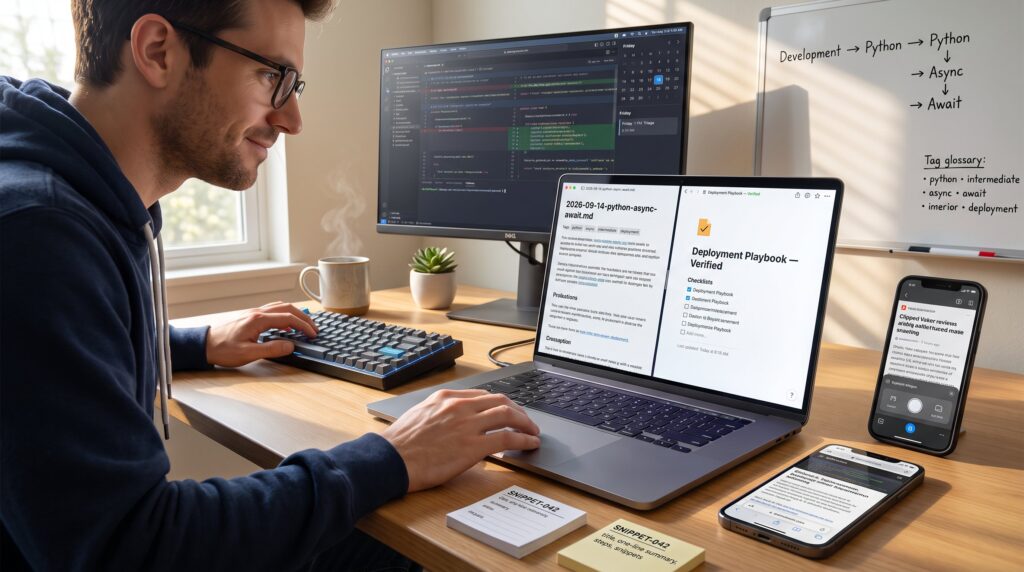
The Best Ways to Organize Technology Tutorials for Later Use begins with a single fact: fragmented notes waste hours. A practical system saves time, avoids duplicate work, and returns usable solutions when needed. This guide shows exactly how to capture, store, tag, and retrieve tutorials so they work as a living toolbox. It is written for practitioners who collect guides, code samples, and walkthroughs and who want a clean, repeatable method that fits tools they already use.
Key Takeaways
- Centralizing technology tutorials in a single knowledge base drastically reduces search time and improves accessibility.
- Use consistent tagging and a clear hierarchical structure to make tutorial retrieval fast and predictable.
- Adopt standardized templates for tutorials including summaries, problem statements, and snippets to enhance clarity and reuse.
- Choose storage tools that fit your workflow and enable features like full-text search and offline sync.
- Implement regular review schedules and version control to keep tutorials updated, relevant, and well-maintained.
- Smart retrieval strategies like shortcut hubs and contextual playbooks minimize time-to-solution and support efficient knowledge use.
Core Principles For Organizing Tutorials Effectively
Fact up front: one centralized knowledge base reduces search time by an order of magnitude. Teams and individuals who commit to a single source, not a dozen scattered apps, find answers faster. Start with four rules: centralize capture, impose a clear hierarchy, standardize structure, and schedule reviews. Centralize capture by choosing one vault or workspace where raw clips, screenshots, and links go first. Hierarchy means map broad topic → subtopic → task (for example, Development → Python → Async). Standardized templates ensure each tutorial has the same fields (title, source, summary, snippets, status). Finally, set a cadence: capture immediately, organize weekly, and review monthly. A practical warning: capture-first systems can become messy if the weekly organization habit slips. That mistake creates a backlog of untagged notes, fixable by dedicating one hour each Friday to triage.
Best Tools And Platforms To Store And Sync Tutorial Content
Answer: pick the tool that matches portability, search, and linking needs. For developers who favor local control and bi-directional links, Obsidian works well: it keeps a Markdown vault on disk and supports strong linking. Notion fits teams that need databases, views, and shared templates. Lightweight capture apps like Evernote, Apple Notes, or Simplenote excel for quick web clipping and mobile sync. For versioned archives, a Git-based Markdown repo gives audit trails and rollback. Practical example: a developer keeps snippets in Obsidian, high-level playbooks in Notion, and long-term archives pushed to a Git repo. To learn where to find curated how-to hubs that pair with personal systems, consult the site’s guide to how-to resources. A concrete tip: enable full-text search and offline sync on any chosen tool: that combination turns saved tutorials into instantly available solutions during flights or outages.
Tagging, Metadata, And Naming Conventions That Make Retrieval Instant
Key point first: consistent tags and filenames make retrieval predictable. Use a small controlled vocabulary for tags: language, topic, difficulty, and context (example: python, api, intermediate, deployment). Adopt a filename pattern that sorts sensibly: date-prefix or hierarchical paths work. Example filename: 2026-09-14-python-async-await.md or Development/Python/Async/Await.md. Add frontmatter or metadata fields for source URL, status (draft/verified/archived), version, and key concepts. Concrete rule: limit tags to five per note to avoid tag bloat. Mistakes to avoid: creating duplicate tags like “py” and “python”, normalize to one canonical form and migrate older notes gradually. For teams, keep a shared tag glossary in the knowledge base and review it quarterly. This reduces retrieval time: when someone searches for “async await example python” the note appears because the filename, tags, and frontmatter match the query.
How To Structure Tutorials For Reuse: Templates, Summaries, And Snippets
Direct answer: design each tutorial so the first 30 seconds tell the reader whether it’s relevant. Use a template with these fields: title, one-line summary, problem statement, prerequisites, step-by-step, code/commands, expected result, pitfalls, and links. Keep code snippets in a dedicated snippet library so they can be copied without extra context. Example template entry: Summary, “Fixes connection timeout in Flask app (2 commands).” The short summary saves time during retrieval. Include a “key takeaways” bullet list of 3 items for rapid scanning. A helpful practice: flag reusable snippets with a stable ID (SNIPPET-042) and cross-link from tutorials. One vulnerable moment: the author once retyped a complex command after copying incorrectly: the lesson was to store tested commands verbatim and label their last-verified date. That small discipline prevented repeated errors across projects.
Smart Retrieval Strategies: Search, Shortcuts, And Contextual Playbooks
Answer first: combine full-text search, curated home pages, and contextual playbooks to retrieve the right tutorial immediately. Full-text search finds phrases and code: tag filters narrow results. Build “shortcut hubs”, a Home note with quick links to common topics and a table of contents for playbooks such as deployment, debugging, or onboarding. Create contextual playbooks: grouped notes that represent a workflow (for example, “deploy a microservice” includes checklist, commands, monitoring steps). Practical metric: a well-built hub can reduce time-to-solution from 20 minutes to under 3. Add keyboard shortcuts and templates to speed capture: live-clipping to a default folder, then triage later. Integrate cross-tool links sparingly (for example, link a Notion playbook to a Git repo script). For reference on locating practical tutorials and guides that complement playbooks, see the how-to guides page.
Maintenance, Versioning, And Keeping Tutorials Up To Date
Straight answer: schedule reviews and use version control for critical tutorials. Store live notes in a place that supports versioning (Git for text files or tools with history). Add a “last updated” field and a review cadence: critical workflows monthly, common references quarterly, niche items annually. When a dependency changes (library upgrade, API change), tag affected tutorials with an “action required” status and assign an owner. Archive obsolete notes with an archive tag and move them to an “Archive” folder to keep search results relevant. Concrete example: after a major library update, the team found 27 notes with deprecated commands: they archived 19, updated 8, and annotated the changes with diffs in the versioned repo. Maintenance fail safes: automated reminders via calendar or task manager and a short changelog entry for significant edits.
Conclusion
Organizing tutorials for future use requires a single source of truth, consistent naming and tagging, reusable templates, and scheduled maintenance. When those pieces work together, tutorials stop being ephemeral and become a reliable toolbox that speeds projects and reduces repeated mistakes. Readers who adopt this system will find solutions faster, reuse tested snippets, and keep knowledge current with minimal overhead.