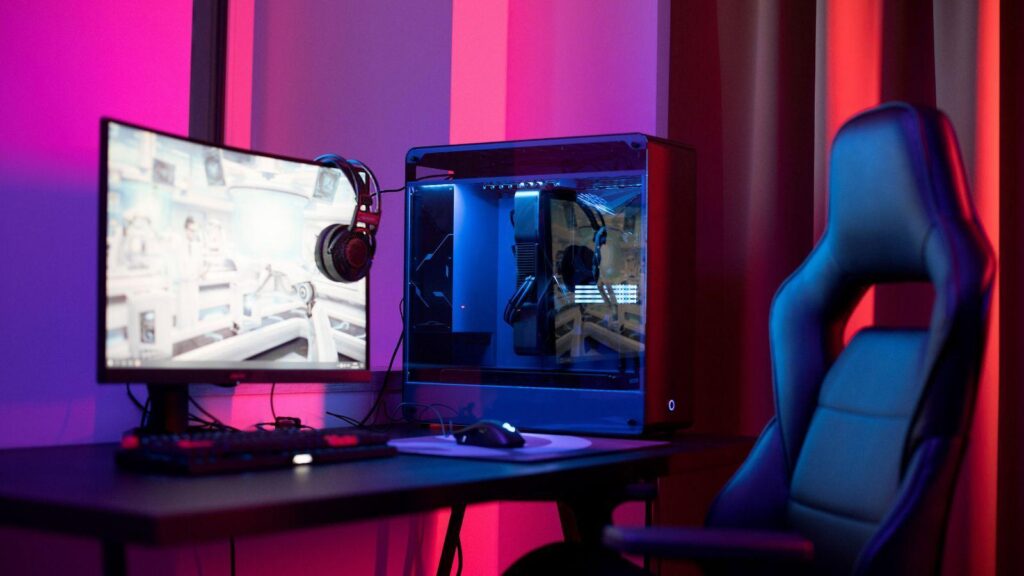
Mobile games are no longer just quick distractions for a few minutes on the bus. Over the last several years, some of the most interesting RPG, strategy, gacha, and tower defense games have come from mobile-first studios. These games may be designed for phones, but many of them feel surprisingly natural on PC.
Arknights is one of the best examples.
On paper, Arknights is a mobile tactical RPG with tower defense elements. The official site describes it as a strategic RPG mobile game with a fantasy theme. In practice, it is much more than a casual phone game. It has deep squad-building, class roles, map layouts, timing-based deployment, event stages, base management, and a long-running story with a distinctive post-apocalyptic style.
That is why so many players eventually want to play it on a bigger screen.
Whether through Google Play Games on PC, an Android emulator, or future native PC support, Arknights shows why the line between mobile and PC gaming keeps getting thinner.
Strategy Games Benefit From More Screen Space
Some mobile games are perfect on a phone. A simple puzzle game, idle game, or short arcade title can work well with touch controls and a small display.
Arknights is different.
A typical stage asks players to read enemy paths, check terrain, manage deployment costs, place Operators, time skills, retreat units, and react to waves. The game is not mechanically difficult in the same way as an action RPG, but it demands attention. A bigger screen makes that easier.
On PC, players can see the battlefield more clearly. Enemy routes are easier to track. Operator positioning feels more deliberate. Skill timing is easier to monitor. Long sessions are also more comfortable because players are not hunched over a phone for hours.
This is especially useful during difficult event stages, challenge modes, annihilation missions, or blind attempts where every mistake matters. Arknights is often about understanding the map, and a bigger screen helps the map breathe.
PC Makes Long Sessions More Comfortable
Arknights is built around short stages, but the game itself encourages long-term play. Players log in for daily tasks, farming, event clears, story chapters, base management, recruitment, and resource planning.
That adds up.
On mobile, longer sessions can become uncomfortable. Battery drain, heat, notifications, small-screen fatigue, and touch misclicks can all get in the way. On PC, the experience feels more stable and focused. You can sit back, manage your squad, follow guides, compare builds, or farm materials while using your main setup.
This is one reason many players use PC for routine tasks and harder content while keeping mobile for quick logins. The phone is convenient. The PC is comfortable.
Mobile RPGs Are Moving Toward PC Anyway
The wider gaming industry is already moving in this direction. Mobile-first games are increasingly expected to support PC players, either through official clients, emulators, or cross-platform releases.
Arknights itself has become part of that conversation. The game is available through Google Play Games on PC, where users can download and play it on a computer. Hypergryph has also announced a PC version for the Chinese server, which suggests that demand for a more direct desktop experience is real.
This is not surprising. Many gacha and strategy players already think of PC as their main gaming platform. They want better performance, cleaner visuals, easier multitasking, and a setup that fits longer play sessions.
Arknights may have started as a mobile game, but its audience includes plenty of players who treat it like a full PC strategy RPG.
Emulators Still Matter
Until every mobile-first game has a perfect native PC version, emulators remain part of the conversation.
Players use emulators for several reasons:
- bigger screens;
- keyboard and mouse support;
- better multitasking;
- smoother long sessions;
- easier recording or streaming;
- less phone battery drain;
- more comfortable farming.
Of course, emulator quality varies. Some run better than others. Some require virtualization settings. Some may have compatibility problems after updates. Players should stick to reputable emulator sources, avoid modified APKs, and make sure they are not violating the game’s terms.
A good emulator setup can make Arknights feel like it belongs on PC. A bad one can create lag, crashes, or input problems.
Connection Stability Still Matters
Arknights is not a twitch shooter, so players sometimes assume connection quality does not matter. That is only partly true.
The game does not demand the same low-latency precision as a competitive FPS, but it still relies on stable connectivity for account login, stage results, event updates, downloads, purchases, and syncing progress. Connection problems can become especially frustrating during limited-time events or large updates.
A weak connection can cause login errors, slow downloads, failed updates, or interrupted sessions. This is more likely when players use public Wi-Fi, shared dorm networks, hotel connections, or restrictive networks that treat mobile game traffic unpredictably.
For players dealing with unstable routing, restricted networks, or privacy concerns on shared Wi-Fi, testing a VPN for Arknights can be part of troubleshooting. It will not fix a bad emulator, weak Wi-Fi signal, or overloaded game servers, but it may help users compare different routes and protect their connection when playing away from home.
The practical approach is simple: choose a nearby VPN server, test downloads and login stability with and without it, and keep the setup that works best.
PC Also Helps With Guides and Planning
Arknights is famous for its community guides, stage clears, Operator analysis, farming planners, recruitment tools, and event resources. Playing on PC makes it easier to use those tools alongside the game.
You can keep a stage guide open in one window, manage your squad in another, and check farming materials without constantly switching apps on a phone. For players who like planning efficient progression, this is a major advantage.
This is also why Arknights has such strong appeal to PC strategy fans. The fun is not only in clearing a stage. It is in preparing for it, understanding the puzzle, testing solutions, and improving your account over time.
The Game’s Tactical Depth Fits PC Players
Arknights works because it combines simple inputs with complex decisions.
You are not controlling a character directly. You are building a squad, reading the map, placing units, timing skills, and adapting to pressure. That kind of gameplay fits naturally with PC strategy habits. It is closer to tactical planning than casual tapping.
PC players who enjoy tower defense, squad management, tactical RPGs, or resource optimization may find Arknights more appealing than expected. The gacha structure is mobile, but the decision-making often feels closer to traditional strategy design.
This is why the game continues to attract players who normally prefer desktop gaming. Once you get past the mobile label, there is a serious strategy game underneath.
Final Thoughts
Arknights may be a mobile game, but it makes a strong case for playing mobile strategy titles on PC. The bigger screen, more comfortable setup, easier multitasking, and better long-session experience all suit the game’s tactical design.
As more mobile RPGs and gacha games expand toward PC, this kind of setup will become even more normal. Players want flexibility. They want to play on a phone when it is convenient and on PC when they want comfort, focus, and control.
For Arknights, that flexibility makes perfect sense. It is a game about planning, timing, and understanding the battlefield. Those things simply feel better when the screen is bigger and the setup gets out of the way.